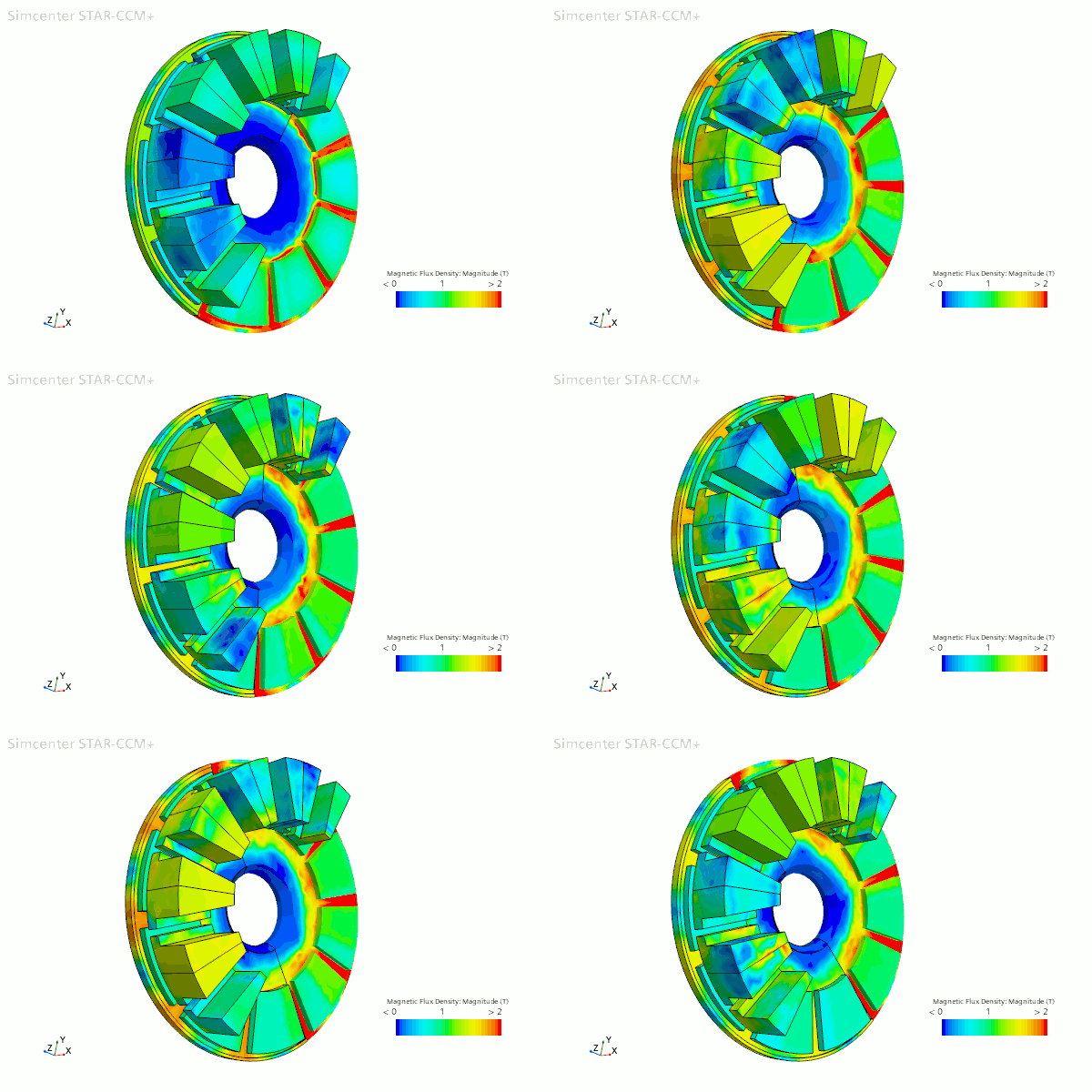
Running the Simulation
Before running the simulation you define the initial current as well as the time-step and maximum physical time in terms of the rotation rate. Also to reduce the simulation time, you apply a minimum limit to the magnetic vector potential residual using a monitor criterion.
To set the initial current:
- Select the node and set Value to 140.
To define the time-step and maximum physical time:
-
Select the node and set Time Step to
<1 deg>/${RR}.
This expression sets the time-step to the time taken for the axial flux motor to rotate by 1 °.
- Right-click the node and select New Monitor Criterion.
- In the Select Monitor dialog, select Magnetic Vector Potential.
- Select the node and set the Minimum Limit to 1.0E-8.
-
Expand the Stopping Criteria node and set the following
properties:
Node Property Setting Maximum Inner Iterations Maximum Inner Iterations 10 Maximum Physical Time Maximum Physical Time <72 deg>/${RR} The maximum physical time is defined as the amount of time taken for the axial flux motor to rotate by 72 °.
-
Click
 (Run).
-
Open the .
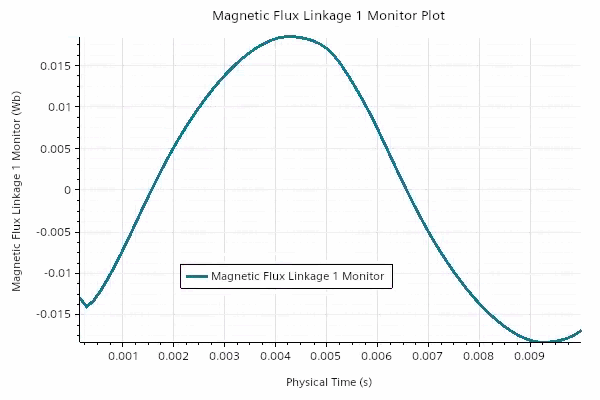
The magnetic flux linkage plot shows the sinusoidal nature of the magnetic flux through coil number four as the rotor rotates. The magnetic flux reaches a maximum around halfway through the simulation time. -
Open the Magnetic Torque - Rotors and Magnets Monitor
Plot.
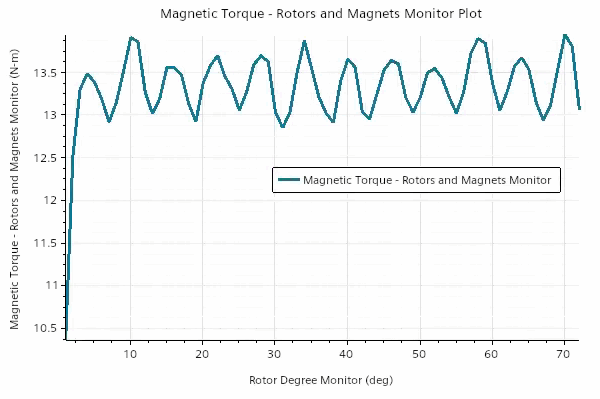
The magnetic torque of the motor oscillates between 12.9 Nm and 13.9 Nm, leading to an average running torque of the motor of 13.3 Nm. The plot also demonstrates the torque ripple which occurs in the motor as it rotates. If you were to run the case with a current of zero the average torque is equal to the cogging torque. - Open the scene.
- Multi-select the and Scalar 1 nodes and set Representation to AxialFluxMotor.
-
In the Playback toolbar, click
 (Play/Pause Animation in active
scene).
(Play/Pause Animation in active
scene).